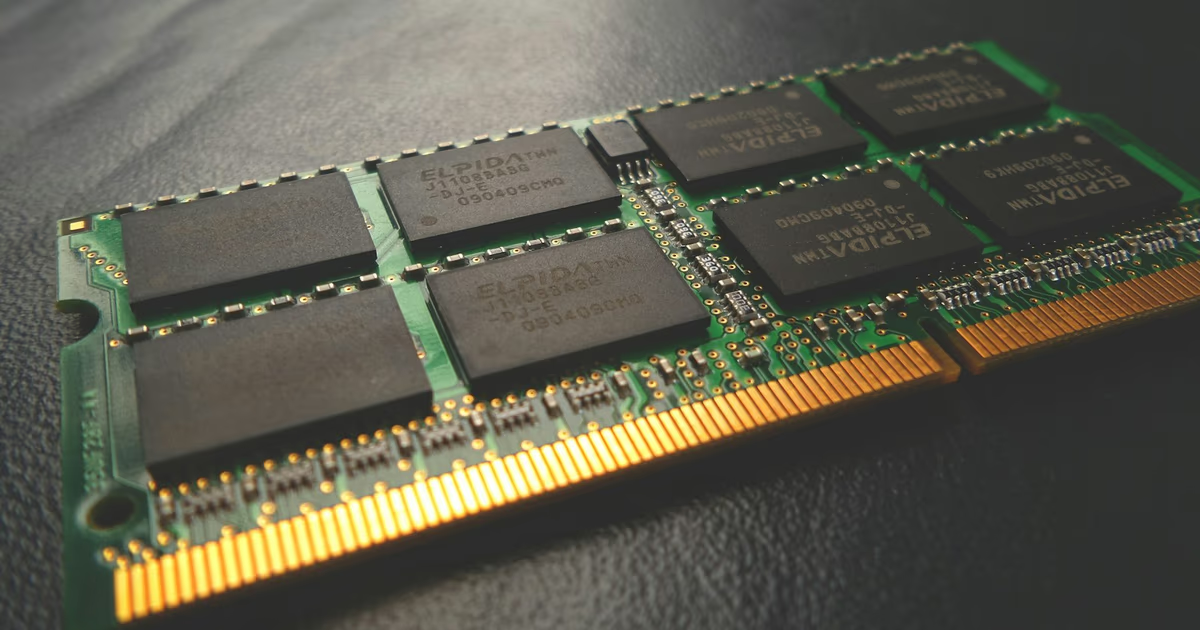
Device memory fingerprinting uses the navigator.deviceMemory JavaScript property to read your device's approximate RAM tier and include it in your browser's unique fingerprint — no cookies, no permissions, no warning. You can see what your browser exposes right now on whatsmy.fyi.
TL;DR
navigator.deviceMemory returns your device's RAM in gigabytes, rounded to the nearest power of two: 0.25, 0.5, 1, 2, 4, or 8 GB. This coarse bucket value contributes roughly 2–3 bits of entropy to your browser fingerprint. Alone it cannot uniquely identify you, but combined with CPU core count, screen resolution, GPU details, and 30+ other signals, it helps commercial fingerprinting services pin down your device. Firefox and Safari have deliberately refused to implement the API. Only Chromium-based browsers expose it.
What Is Device Memory Fingerprinting?
Device memory fingerprinting is a browser tracking technique that reads the Navigator.deviceMemory property — a read-only attribute introduced in Chrome 63 in December 2017 — to determine how much RAM your device has. The value is deliberately imprecise: a device with 6 GB of RAM reports 8, and a device with 3 GB reports 4, because the spec requires rounding to the nearest power of two. This quantization was designed to limit fingerprinting risk, but it creates a stable, consistent signal that persists across browsing sessions, incognito mode, and VPN connections.
The API is part of a broader family of hardware-exposure properties in the browser, alongside navigator.hardwareConcurrency (CPU core count) and navigator.platform. Each on its own provides limited precision, but together they build a hardware profile that the W3C Fingerprinting Guidance explicitly classifies as a fingerprinting vector.
Unlike cookie-based tracking, device memory fingerprinting cannot be blocked by clearing browser data. It is one component of the wider browser fingerprinting toolkit that tracking companies use to identify you across the web.
How Does navigator.deviceMemory Work?
The W3C Device Memory specification defines a precise algorithm for deriving the value that your browser reports. Understanding it reveals both why the spec authors thought it was safe and why fingerprinting researchers disagree.
Step 1 — Reading Physical Memory
The browser reads the device's physical RAM in bytes from the operating system. Chrome's implementation in approximated_device_memory.cc reads the value in megabytes, then rounds it to the nearest power of two using a bitwise shift operation. A device reporting 6,144 MB (6 GB) gets shifted to 8,192 MB (8 GB).
Step 2 — Converting to Gigabytes and Clamping
The rounded megabyte value is divided by 1,024 to produce the gigabyte figure. Any result above 8 is clamped to 8.0. Newer Chrome versions on non-Android platforms have extended the upper bound to 32, meaning a workstation with 64 GB of RAM now reports 32 rather than 8.
Step 3 — Restricting to HTTPS Contexts
The spec mandates that navigator.deviceMemory is only available in Secure Contexts (HTTPS). On HTTP pages, the property returns undefined. This prevents passive sniffing over plaintext connections but does nothing to limit fingerprinting on the overwhelming majority of HTTPS sites.
Step 4 — Available to Scripts Without Permission
Any JavaScript running on the page can read navigator.deviceMemory with no user prompt, no permission request, and no browser notification. Third-party analytics and ad scripts embedded on millions of websites read it silently on every page load.
// Reading navigator.deviceMemory
// Returns: 0.25 | 0.5 | 1 | 2 | 4 | 8 (or undefined in Firefox/Safari)

const ram = navigator.deviceMemory;
console.log(ram); // e.g. 8 (on a 16 GB MacBook Pro)

// The absence of the value is itself a fingerprinting signal:
// undefined → browser is Firefox, Safari, or Tor Browser (not Chromium)
if (ram === undefined) {
  console.log('Non-Chromium browser detected');
}

// Fingerprinting services combine it with CPU core count
const hardwareProfile = {
  deviceMemory: navigator.deviceMemory,
  cpuCores: navigator.hardwareConcurrency, // e.g. 10
  platform: navigator.platform,            // e.g. "MacIntel"
};

// Bot detection: flag out-of-spec values
const VALID_VALUES = [0.25, 0.5, 1, 2, 4, 8, 16, 32];
const isOutOfSpec = ram !== undefined && !VALID_VALUES.includes(ram);
// Out-of-spec values (e.g. 3, 6, 12) → high-confidence spoof or headless browser
How Much Does Device Memory Contribute to Fingerprinting?
The quantized return values mean that navigator.deviceMemory provides limited entropy in isolation — but the signal it does provide is stable and machine-readable.
| Signal | Value / Finding | Source |
|---|---|---|
| Shannon entropy (isolation) | ~2–3 bits | W3C Device Memory Spec |
| Number of standard bucket values | 6 (0.25, 0.5, 1, 2, 4, 8 GB) | W3C Device Memory Spec |
| Global browser support rate | 76.37% (all Chromium-based) | Can I Use, 2025 |
| Firefox / Safari support | 0% — deliberately not implemented | MDN Web Docs |
| Out-of-spec values in 7-day traffic sample | 16,000+ events flagged as spoofed | Castle.io, 2025 |
| Fraud events linked to deviceMemory inconsistencies | ~3,500 from a single actor | Castle.io, 2025 |
| Named signal sources in FingerprintJS open source | ~40 signals including deviceMemory | FingerprintJS GitHub |
The practical fingerprinting power of navigator.deviceMemory comes from its combination with other hardware signals. When a browser reports deviceMemory: 8, hardwareConcurrency: 10, platform: "MacIntel", and a specific WebGL renderer string, the combined profile is specific enough to narrow the field considerably — and stable enough to persist across sessions.
Who Uses Device Memory Fingerprinting in the Real World?
Commercial Fingerprinting Platforms
FingerprintJS, the open-source library used by millions of websites, explicitly lists deviceMemory as a named signal source (getDeviceMemory) in its collection layer, alongside hardwareConcurrency, osCpu, cpuClass, and architecture. The commercial product Fingerprint.com aggregates over 100 browser and device signals, with device memory as one component of the hardware profile tier.
Bot Detection and Fraud Prevention
Security platforms use navigator.deviceMemory not primarily as a tracking signal, but as a consistency check. Anti-detect browsers and headless automation frameworks frequently misconfigure this attribute — setting values like3, 6, or 12 that are not valid powers of two, or values above 8 that exceed the standard maximum. Castle.io observed over 16,000 out-of-spec deviceMemory events in a single 7-day traffic window, with approximately 3,500 traceable to a single bad actor running a counterfeit account creation campaign. The detection logic cross-validates deviceMemoryagainst platform, userAgent, and hardwareConcurrency: a browser claiming to be a consumer laptop with 32 CPU cores is implausible; a browser claiming Firefox with a defined deviceMemory is impossible.
Behavioural Advertising Networks
As third-party cookies have been deprecated across major browsers, advertising networks have increasingly incorporated device-level signals — including device memory tier — into probabilistic identity graphs. The memory bucket (entry-level vs. mid-range vs. premium device) also carries demographic value: a device reporting 0.25 GB is an ultra-low-end phone; one reporting 8 GB is a premium laptop or flagship phone.
The Absence as a Signal
When navigator.deviceMemory returns undefined, a fingerprinting script immediately learns that the browser is not Chromium-based — confirming Firefox, Safari, or Tor Browser. This binary present/absent distinction itself has identifying value and is collected by fingerprinting libraries as a negative signal.
Is Device Memory Fingerprinting Legal?
Under GDPR, browser fingerprinting creates a persistent unique identifier and therefore constitutes processing of personal data. The CNIL (France's data protection authority) has explicitly stated that fingerprinting-based tracking requires the same informed consent as cookie-based tracking. The UK ICO confirmed in January 2025 that fingerprinting is subject to identical PECR requirements as cookies. Under CCPA and CPRA in California, browser fingerprints qualify as unique personal identifiers subject to opt-out rights.
The one significant legal exception is fraud detection and bot prevention. Platforms using navigator.deviceMemory solely to detect spoofed or inconsistent signals — not to track individuals across sites — typically qualify for GDPR's Legitimate Interest basis without requiring explicit consent.
The W3C's own Fingerprinting Guidance document, written after the Device Memory API shipped, classified device characteristics like memory as fingerprinting vectors and recommended that future API designers prefer Boolean values or coarser enumerations — acknowledging that even quantized numeric values carry more identifying information than anticipated.
How to Protect Yourself from Device Memory Fingerprinting
Protection options range from near-complete (with web compatibility trade-offs) to lightweight mitigations that reduce tracking surface without breaking sites.
- Tor Browser (strongest protection): Firefox-based, so
navigator.deviceMemoryreturnsundefinednatively — the API is not implemented. Combined with letterboxing, user-agent normalisation, and network routing through the Tor anonymity network, Tor Browser provides the strongest real-world protection against device-level fingerprinting. The trade-off is slower browsing and occasional CAPTCHA friction. - Firefox (recommended for daily use): Firefox does not implement
navigator.deviceMemoryat all. Enablingprivacy.resistFingerprintinginabout:configadditionally normalises screen size, timezone, locale, and font metrics. The combination provides strong hardware fingerprint resistance without the network overhead of Tor. - Brave Browser (Chromium-based protection): Brave implements the API (Chromium codebase) but applies per-session, per-site randomisation — a technique called Farbling. Your reported
deviceMemoryvalue differs between sites and between sessions, preventing cross-site linking. Note that statistical analysis can defeat randomisation under certain conditions, making Brave less robust than Firefox for this specific signal. - Safari: Like Firefox, Safari has declined to implement the API.
navigator.deviceMemoryreturnsundefinedin all versions of Safari through 2025. This is intentional — Apple's WebKit team has historically been cautious about exposing hardware details through web APIs. - Chrome with extensions: Extensions like JShelter or CanvasBlocker can override
navigator.deviceMemoryto return a fixed or randomised value. Be aware that overriding it toundefinedin a Chromium browser creates its own anomaly signal — fingerprinting scripts expect the property to exist in Chrome, so its absence in a Chrome user agent is suspicious. - Understand VPN limitations: A VPN changes your IP address and routes traffic through an encrypted tunnel but has absolutely no effect on
navigator.deviceMemory. The value is read from your local hardware by JavaScript running in your browser, with no network involvement. Check whether your IP is properly masked on whatsmy.fyi, but use a fingerprint-resistant browser to address device memory tracking.
Frequently Asked Questions
Does navigator.deviceMemory work in incognito or private mode?
Yes. Private browsing prevents your browser from writing history and cookies to disk, but it does not change your RAM or how Chrome reports it. navigator.deviceMemory returns the same value in an incognito window as in a normal window. Only browsers that do not implement the API (Firefox, Safari) or actively modify it (Brave) behave differently.
Why did Firefox and Safari refuse to implement navigator.deviceMemory?
Both teams concluded that the fingerprinting cost outweighed the developer convenience benefit. A GitHub issue on the W3C Device Memory repository argued that "amount of RAM is a fingerprinting vector" and called on browser manufacturers to "think ten times before implementing this proposal." Firefox and Safari took that position; Chrome and Edge did not. The result is that 76% of global browser traffic exposes the value, while Firefox and Safari users (roughly 24%) do not.
Can navigator.deviceMemory be used to identify individual users?
Not alone. With only six standard bucket values and heavy skew toward 4 and 8 GB (reflecting modern hardware distribution), navigator.deviceMemory alone provides roughly 2–3 bits of entropy — far below the threshold for individual identification. However, combined with CPU core count, GPU renderer string, screen resolution, timezone, and installed fonts, the composite hardware fingerprint can reach cookie-equivalent identification precision across large datasets.
What is the Device-Memory HTTP client hint?
In addition to the JavaScript API, the Device Memory spec defines a Sec-CH-Device-Memory HTTP request header. When a server sends Accept-CH: Device-Memory, Chrome will attach the device memory bucket to subsequent requests as a header — before any JavaScript runs. This means a server can read your RAM tier from every HTTP request, without executing a single line of JavaScript. The header was enabled by default in Chrome 61, two versions before the JavaScript API shipped in Chrome 63.
How do bot detection systems use navigator.deviceMemory?
Bot detection platforms primarily use the value as a consistency signal, not a tracking token. They cross-validate navigator.deviceMemory against the reported user agent, platform string, and CPU core count. Anti-detect browsers and headless automation frameworks frequently set invalid values — powers of two outside the expected range, or non-power-of-two values like 3 or 6 GB — that are trivially flagged as spoofed. A genuine Chrome 120 browser on a MacBook Pro will always report a valid, plausible combination; a misconfigured headless browser often will not.
Is device memory fingerprinting the same as hardware fingerprinting?
Device memory fingerprinting is one subset of hardware fingerprinting. The broader hardware fingerprinting category also includes CPU core count (navigator.hardwareConcurrency), GPU identity via WebGL fingerprinting, screen resolution and pixel density, and audio hardware characteristics read via audio fingerprinting. Together these signals build a hardware profile that is largely immune to software-level privacy measures like private browsing or cookie deletion.
Does using a privacy-focused DNS or ad blocker help?
DNS-level blockers and ad blockers can prevent the network requests that transmit your fingerprint to a tracking server. If a third-party fingerprinting script is blocked from loading, it cannot execute and cannot read navigator.deviceMemory. However, first-party scripts embedded directly in a site's own code are not blocked by typical ad blockers — they are treated as part of the site itself. First-party fingerprinting, increasingly common as third-party cookies disappear, bypasses ad-blocker protection entirely.
Related Articles
- What Is Browser Fingerprinting? How Sites Track You Without Cookies — the complete guide to all fingerprinting signals and how they combine
- What Is CPU Fingerprinting? How navigator.hardwareConcurrency Identifies You — the sister API to deviceMemory, exposing your CPU core count
- What Is WebGL Fingerprinting? How Your GPU Identifies Your Browser — how the 3D graphics API exposes your GPU vendor, model, and driver version
- What Is Canvas Fingerprinting? How Websites Track You Without Cookies — how your GPU's pixel rendering creates a unique identifier via the Canvas API
- What Is Audio Fingerprinting? How AudioContext Tracks Your Browser — how your device's audio hardware produces a unique acoustic fingerprint